My setup for an ad-free life (featuring AdGuard Home)
AdGuard Home
For quite a while now I have been blocking every* ad in my home on a router level (* some ads obviously slip through, and also YouTube ads cannot be blocked on a DNS level). I remember having a very low powered virtual server running for some Linux server experimentations at the time, and I wanted to make better use of it. I knew of Pi-hole but this seemed so much work to setup.
This is when I found AdGuard Home. The HowTo install is very simple and gives you a basic setup you can play around with. Why not execute 3-4 CLI commands to install the service and be done with it?
The code is available on GitHub, with a very active community around it. After installing it on your server, you have to make sure that your port 53 is open and not blocked by your firewall. When you ask a device to use a DNS server, it automatically asks on port 53 unless told otherwise.
Very helpful gotchas:
- When you first install AdGuard Home on your server and have strict firewall rules, you may find DNS queries are blocked.
- When you update your firewall rules and forget to leave port 53 open, your DNS will stop working.
You can obviously change that in the settings when setting up AdGuard Home. The challenge is just with your router. It might not let you change the port for your DNS address. I know mine doesn't (Bell Aliant).
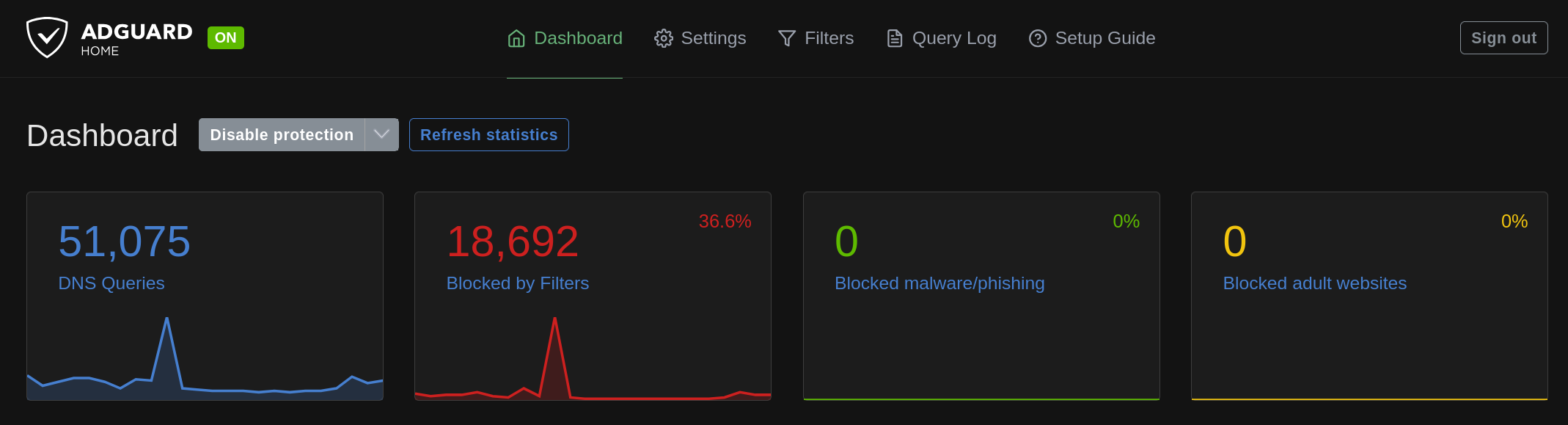
AdGuard has a ton of options, the most important are the DNS blocklists. These are pre-integrated public lists which get updated frequently by different communities. You can find everything, from gambling to general ads, to social media and other NSFW websites.
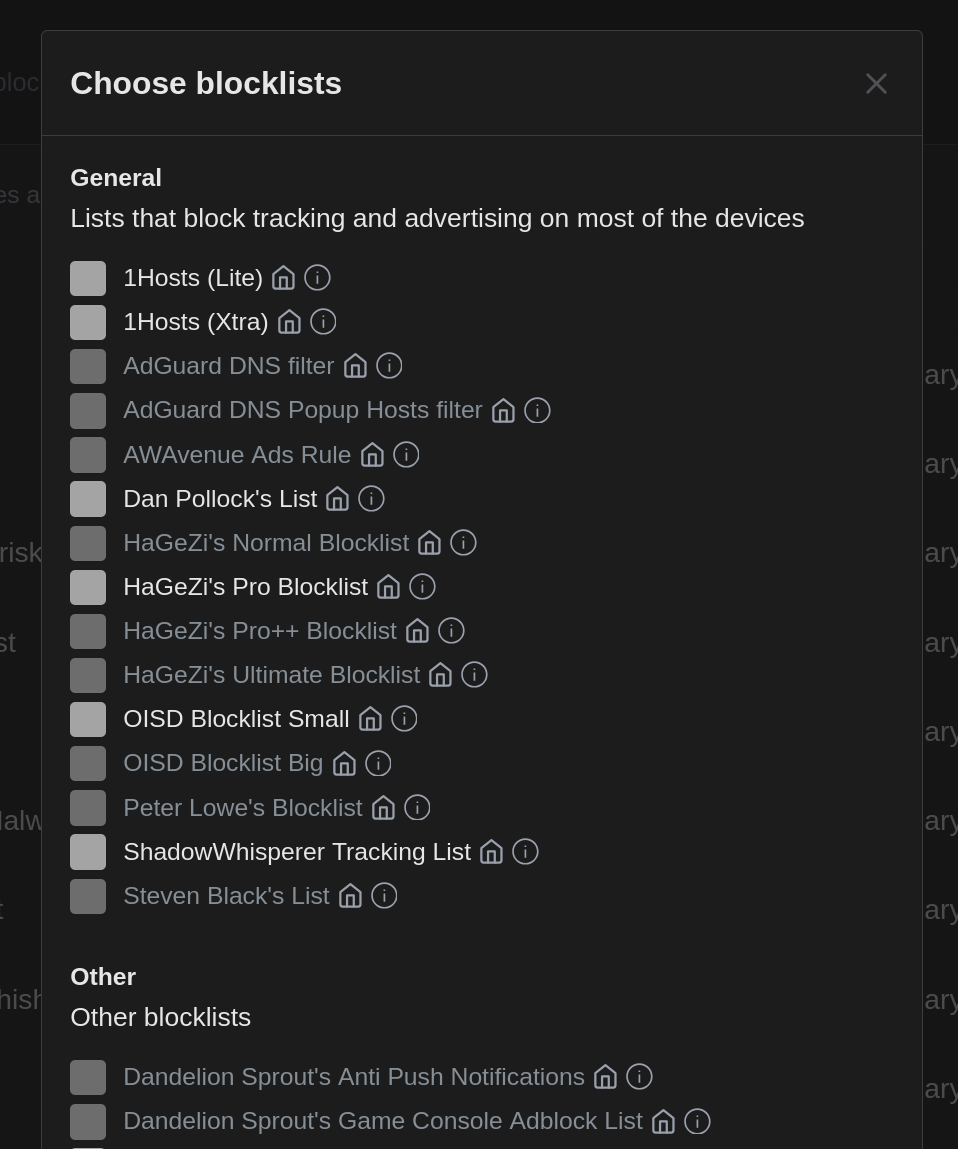
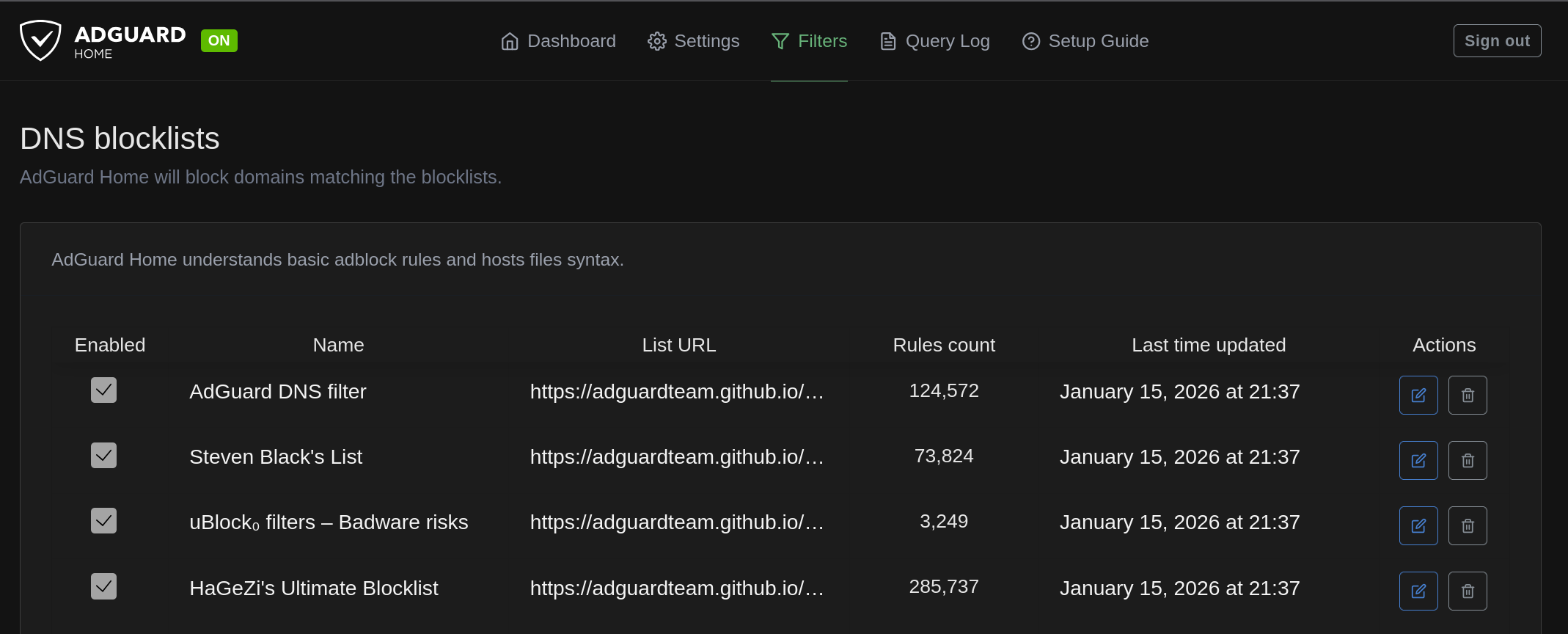
You can add them to your filters, and activate or deactivate them as you see fit.
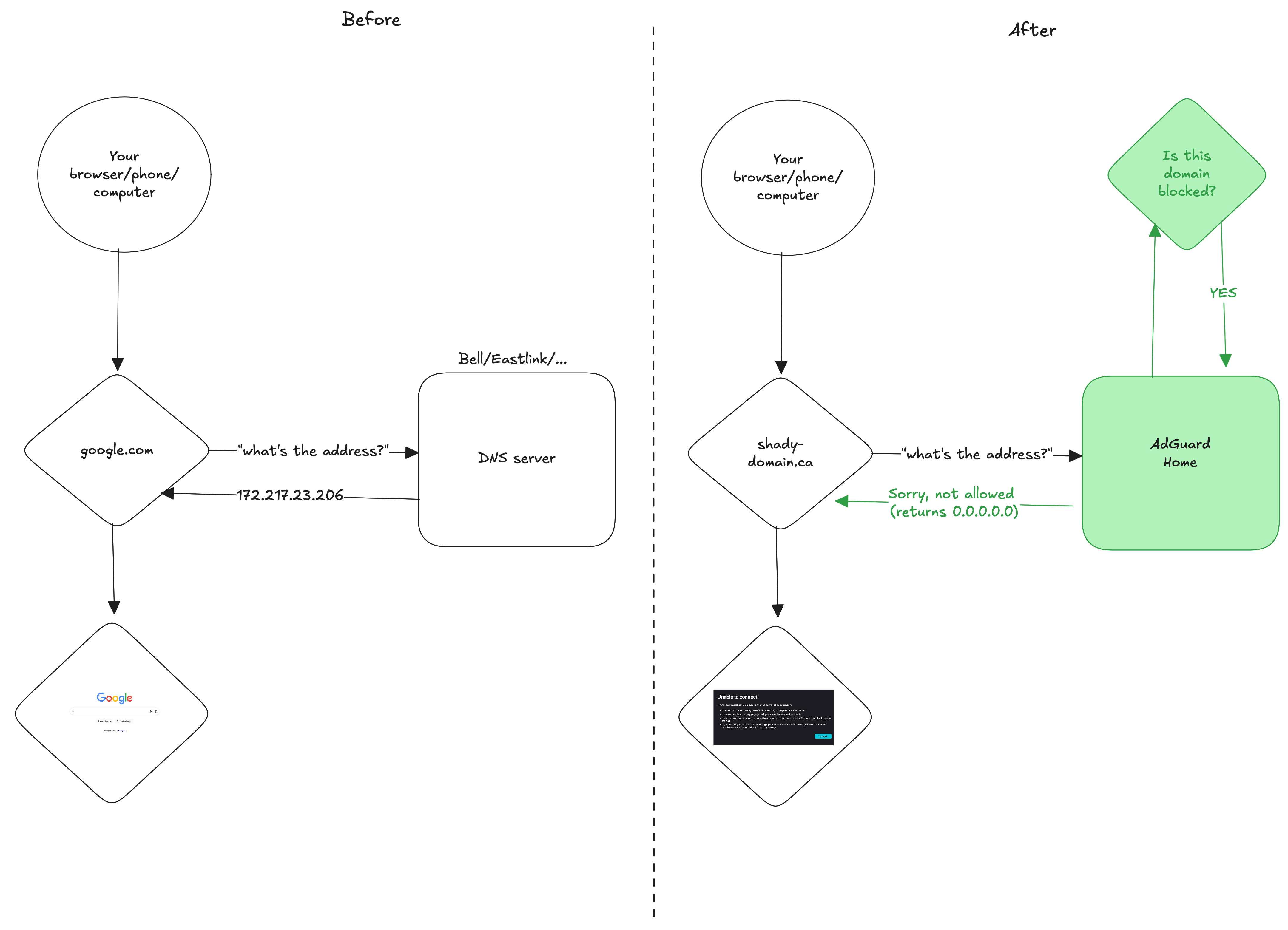
After you change the DNS IP address from the generic one to your own server instance where AdGuard home runs, every time you browse, the DNS query will go through AdGuard home and checks if that domain is blocked or not.
Firefox Extensions
I recommend installing Firefox for your online experience. After you've installed and made it your default, you can install three extensions which make the internet way more enjoyable.
After all the noisy ads and dangerous websites are blocked via AdGuard Home, we can go further fine-tune our online experience:
The "Remove paywalls" is the most... let's say gray-zone extension. You should absolutely support newspapers and journalism. So if you can, don't replace your Newspaper subscription with this extension. But if you are on a tight budget - and no one can reasonably expect you pay for 10 newspaper subscriptions at the same time, use this extension to occasionally read an article you wouldn't otherwise be able to.
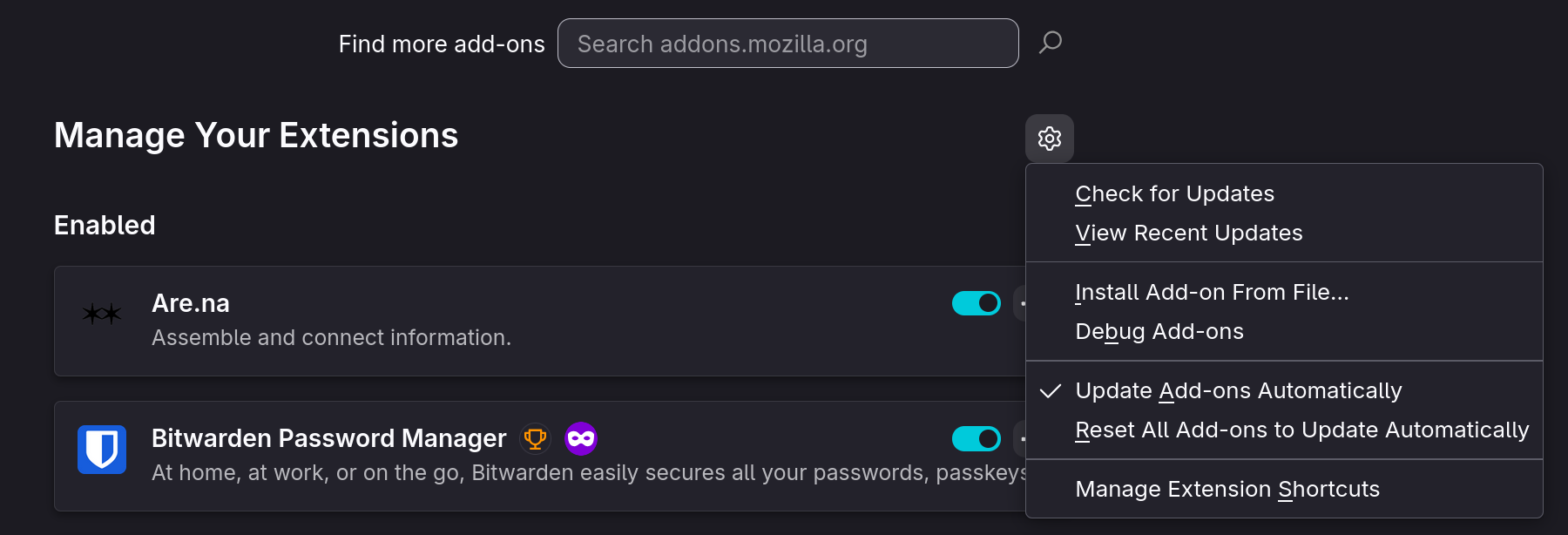
You manually have to download it from this repository and download the bypass_paywalls_clean-latest.xpi file. Then, you go to the Firefox settings, Extensions, click on the little gear symbol, and click "Install Add-on from File...".
Gotchas
With all of these extensions and setups in place, you will find that occasionally a link or a website breaks. I get school emails, and they wrap their links inside a tracker URL. I had to whitelist a few of these to participate in their communications. You can easily do this via the DNS whitelist setting in AdGuard Home. But you will find that sometimes you don't know if the website or link is broken, or your setup blocks it.
The other issue is that: What if my server is down? No request will get out of your home. And you might keep guessing: Is the Internet down or just my server?